


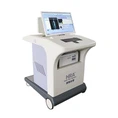

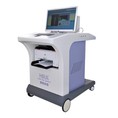
In the dynamic landscape of healthcare technology, ensuring that health checkup machines are equipped with the latest software is paramount. As a dedicated supplier of advanced health checkup machines, I understand the significance of software updates in maintaining the accuracy, efficiency, and functionality of these crucial devices. In this blog post, I will share valuable insights on how to update the software of a health checkup machine, drawing from my extensive experience in the industry.


Understanding the Importance of Software Updates
Before delving into the update process, it's essential to grasp why software updates are so vital for health checkup machines. These updates serve multiple purposes that directly impact the quality of healthcare services provided. Firstly, they enhance the accuracy of diagnostic results. As medical knowledge evolves and new research findings emerge, software updates can incorporate the latest algorithms and methodologies to improve the precision of health assessments. This ensures that patients receive more reliable and detailed information about their health status, enabling healthcare providers to make more informed decisions.
Secondly, software updates often introduce new features and functionalities to the health checkup machines. These enhancements can range from improved user interfaces for easier navigation to advanced reporting capabilities that provide more comprehensive and visually appealing health reports. Additionally, new features may enable the machine to support additional diagnostic tests or integrate with other healthcare systems, expanding its capabilities and versatility.
Finally, software updates are crucial for maintaining the security and compliance of health checkup machines. With the increasing prevalence of cyber threats in the healthcare industry, regular updates help to patch security vulnerabilities and protect patient data from unauthorized access. Moreover, they ensure that the machines comply with the latest regulatory requirements and industry standards, safeguarding the privacy and confidentiality of patient information.
Preparing for the Software Update
Before initiating the software update process, it's important to take several preparatory steps to ensure a smooth and successful update. These steps include:
1. Backing Up Data
Prior to updating the software, it's crucial to back up all the data stored on the health checkup machine. This includes patient records, test results, and any other important data that may be lost during the update process. Backing up the data ensures that it can be restored in case of any issues or errors during the update.
2. Checking System Requirements
It's essential to check the system requirements of the new software version to ensure that the health checkup machine meets the necessary specifications. This includes checking the operating system, hardware components, and available storage space. If the machine does not meet the system requirements, it may not be able to run the new software version properly, leading to compatibility issues or performance problems.
3. Downloading the Software Update
Once you have confirmed that the health checkup machine meets the system requirements, you can proceed to download the software update from the manufacturer's official website. It's important to ensure that you download the correct version of the software for your specific machine model and operating system. Additionally, make sure to download the update from a trusted source to avoid downloading malicious software or viruses.
4. Testing the Update in a Staging Environment
Before applying the software update to the production environment, it's recommended to test the update in a staging environment. This allows you to identify and resolve any potential issues or compatibility problems before they affect the live system. In the staging environment, you can simulate the update process and test the new software version to ensure that it functions correctly and meets your requirements.
Updating the Software
Once you have completed the preparatory steps, you can proceed to update the software of the health checkup machine. The update process may vary depending on the specific machine model and software version, but the general steps are as follows:
1. Installing the Update Package
After downloading the software update, you need to install the update package on the health checkup machine. This typically involves running an installation wizard or executable file and following the on-screen instructions. During the installation process, the machine may need to restart several times to complete the update.
2. Configuring the Software
Once the update is installed, you may need to configure the software to ensure that it is set up correctly for your specific needs. This includes configuring the machine settings, such as the language, date and time format, and user preferences. You may also need to configure the software to integrate with other healthcare systems or devices, such as electronic health record (EHR) systems or printers.
3. Testing the Updated Software
After configuring the software, it's important to test the updated software to ensure that it functions correctly and meets your requirements. This includes running a series of diagnostic tests and checks to verify the accuracy of the test results and the functionality of the new features. You should also test the software's compatibility with other healthcare systems and devices to ensure that it integrates seamlessly.
4. Monitoring the Update Process
During the update process, it's important to monitor the machine closely to ensure that the update is progressing smoothly and without any issues. You should check the machine's status and error messages regularly to identify and resolve any problems as soon as they occur. If you encounter any issues or errors during the update process, you should contact the manufacturer's technical support team for assistance.
Post-Update Considerations
After the software update is completed successfully, there are several post-update considerations that you need to keep in mind to ensure the continued performance and reliability of the health checkup machine. These considerations include:
1. Training the Users
Once the software is updated, it's important to train the users on how to use the new features and functionalities of the software. This includes providing training on the updated user interface, new diagnostic tests, and any other changes or enhancements to the software. Training the users ensures that they are familiar with the new software and can use it effectively to provide high-quality healthcare services.
2. Monitoring the Performance
After the software update, it's important to monitor the performance of the health checkup machine to ensure that it is operating at its optimal level. This includes monitoring the machine's response time, accuracy of test results, and overall functionality. You should also monitor the machine's resource utilization, such as CPU usage and memory usage, to ensure that it is not overloaded or experiencing any performance issues.
3. Keeping the Software Up to Date
Software updates are an ongoing process, and it's important to keep the health checkup machine's software up to date to ensure its continued performance, security, and compliance. You should regularly check the manufacturer's website for the latest software updates and install them as soon as they become available. Additionally, you should subscribe to the manufacturer's newsletter or notification service to stay informed about any important software updates or security patches.
Conclusion
Updating the software of a health checkup machine is a critical process that requires careful planning, preparation, and execution. By following the steps outlined in this blog post, you can ensure a smooth and successful software update that enhances the accuracy, efficiency, and functionality of your health checkup machine. As a leading supplier of Health Risk Assessment Device, Full Body Scanner Machine in Hospital, and Full Body Checkup Machine, we are committed to providing our customers with the latest software updates and technical support to ensure the optimal performance of our products. If you have any questions or need assistance with updating the software of your health checkup machine, please do not hesitate to contact us. We look forward to working with you to meet your healthcare technology needs.
References
- Manufacturer's user manual and documentation
- Industry best practices and guidelines for software updates in healthcare technology
- Technical support resources provided by the manufacturer